


The world is overflowing with content, and much of it needs translation. The global machine translation market reflects this trend, growing rapidly and projected to reach around $4.8 billion by 2032.
This guide compares the 5 MT engines, focusing on quality, language coverage, customization, and cost, to help localization managers make informed decisions. If you are weighing general-purpose models such as ChatGPT, Gemini, or Claude for translation work instead, see our separate comparison of the best LLMs for translation.
How we evaluated the top MT software
Our research on top machine translation tools focuses on several criteria critical for localization managers:
- Translation quality and accuracy: We look at how well the software translates, especially for nuanced, technical, and industry-specific content.
- Language coverage: The list of supported languages is a key consideration for global operations.
- Customization and adaptability: The ability to train the MT engine with your specific terminology, style guides, and domain-specific data, as well as its flexibility to adapt to real-time feedback.
- Integration capabilities: How easily the software integrates with existing translation management systems (TMS).
- Cost-effectiveness and scalability: The pricing model, overall value, and how well it handles varying volumes of translation, from small projects to enterprise-level needs.
- Unique features and best use cases: Distinct advantages each tool offers, and for what specific scenarios or industries they are best suited.
Based on these criteria, we have compiled a detailed comparison to provide an at-a-glance overview of each engine’s capabilities.
Top machine translation software: Comparison table
| Feature/software | Google Translate | DeepL Translator | Microsoft Translator | Amazon Translate | Lara |
|---|---|---|---|---|---|
| Core technology | NMT, plus Translation LLM and Adaptive Translation models | NMT + next-gen LLM | NMT (Azure-MT), with GPT-4o / GPT-4o mini selectable per request | NMT | Translation Language Models (T-LMs), adaptive |
| Key strengths | Broadest language coverage, accessibility | High accuracy, nuance, context, natural flow | Model choice in one API, enterprise compliance, “no-trace” data | Scalability, AWS ecosystem integration, formality control | Real-time adaptation, broad format coverage, data sovereignty options |
| Primary use cases | General text, web localization, chat, subtitles | Professional, business, sensitive content (legal, finance, tech) | Enterprise workloads needing both classic NMT and more nuanced LLM output | Large volume text, web/app localization, cross-lingual comms | Enterprise, customer service, e-commerce, content localization |
| Language support | 249 languages | 101 source / 106 target languages | 135 languages | 75 languages | 203 languages (text); 182 for interpreting |
| Customization | Custom models, HTML retention, transliteration | Glossaries, formal/informal tone, Clarify, style rules, translation memories, custom instructions | Custom Translator (domain models), Adaptive Custom Translation (few-shot) | Formality control, custom terminology, Active Custom Translation | Translation memories, glossaries, context management, custom instructions, translation styles |
| Document translation | Yes (DOCX, PPT, PDF) – $0.08/page | Yes (PDF, Word, PPT), editable files | Yes, incl. text inside images (JPEG, PNG, BMP, WEBP) | Yes (text, HTML, DOCX, PPTX, XLSX, XLIFF) | Yes – 61 file formats, layout preserved |
| API availability | Yes (Cloud Translation API) | Yes | Yes (Azure service) | Yes (AWS service) | Yes, plus an MCP server |
| Data privacy | No ownership of API content, no training (API) | No training for Pro; GDPR compliant | ”No-trace” policy; HIPAA, ISO, SOC, FedRAMP compliant | May store/use for service improvement; encryption | Incognito mode deletes text after translation; regional data residency on Enterprise |
| Pricing model | From $20/M chars (500k free monthly) | From $27.50/M chars (Growth, $26/month) | From $10/M chars (2M free monthly) | From $15/M chars (2M free monthly, 12 months) | From $19.99/M chars (Team API) |
Reviewing the 5 best machine translation software solutions
1. DeepL Translator
DeepL Translator is a specialized AI platform focused on high-precision translation and communication. It offers text translation, real-time speech translation, and AI writing tools. DeepL Translator is highly valued in industries such as healthcare, logistics, and finance, where precision and data privacy are important.
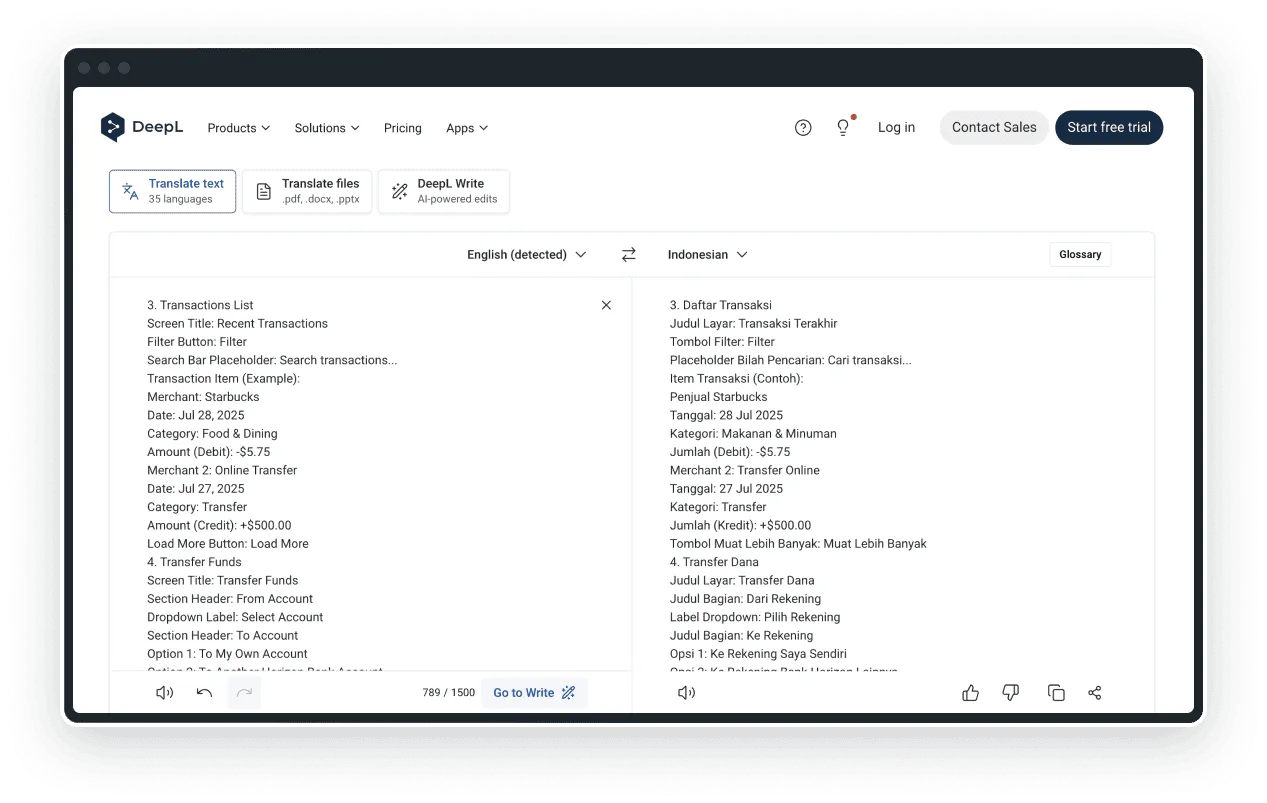
Technology and approach: DeepL Translator combines cutting-edge Neural Machine Translation (NMT) technology with a next-generation Large Language Model (LLM) infrastructure. This hybrid approach enables precise contextual understanding, leading to nuanced and natural-sounding translations by analyzing larger text sections.
Accuracy and quality: DeepL consistently produces translations with higher retention of tone and technical specificity, often reducing post-editing time. A 2024 Forrester study highlighted that DeepL delivered a 345% ROI for global companies, reducing translation time by 90% and workload by 50%.
Language support: 101 source languages and 106 target languages via the API – a major expansion from DeepL’s earlier, more limited language set, after 81 beta languages were promoted to general availability in January 2026.
Customization and integration capabilities: DeepL Translator offers customization, including glossaries for consistent terminology (up to 30,000 entries in 16 languages for some users). It provides formal/informal tone options, as well as a “Clarify” feature. When connected through Crowdin, you can also apply style rules, translation memories, and custom instructions on the next-generation models. It supports text and editable file translation (PDF, Word, PowerPoint) and integrates via API and CAT tools.
Pricing models and tiers: DeepL restructured its API pricing in 2026 around three tiers, as shown on the DeepL Pro page. Developer is free – a one-time credit of 1 million characters to test the API, with 1 API key and 1 glossary (no access to the web translator). Growth is $26 per month (billed annually) plus usage-based pricing, including 12 million characters and 120 speech-to-text hours per year; extra usage costs $27.50 per million characters, $1.85 per speech-to-text hour, and $3.75 per speech-to-speech hour beyond that. Enterprise API is custom-priced with a negotiated commitment and no monthly usage limits.
Data privacy and security: For DeepL Pro users, texts are deleted immediately after translation and are not used to train neural networks. DeepL is GDPR compliant.
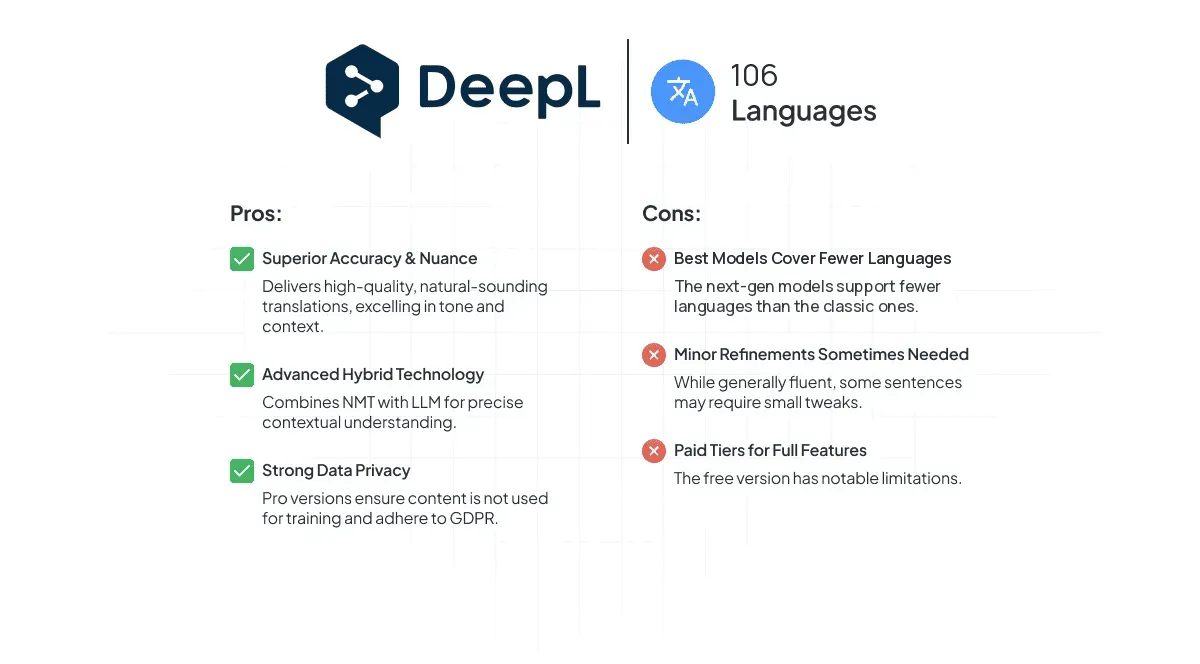
Best for: Professional and sensitive content (e.g., legal, finance, tech) where high accuracy, nuance, natural flow, and data privacy matter. With its 2026 language expansion, DeepL is no longer a niche pick for a handful of languages – it now competes on breadth as well as quality.
2. Google Translate
Google Translate (GT) is the most widely used translation service in the world. It’s designed for widespread accessibility, real-time chat translation, and website localization. It particularly excels in translating factual content, especially for high-similarity language pairs and shorter texts.
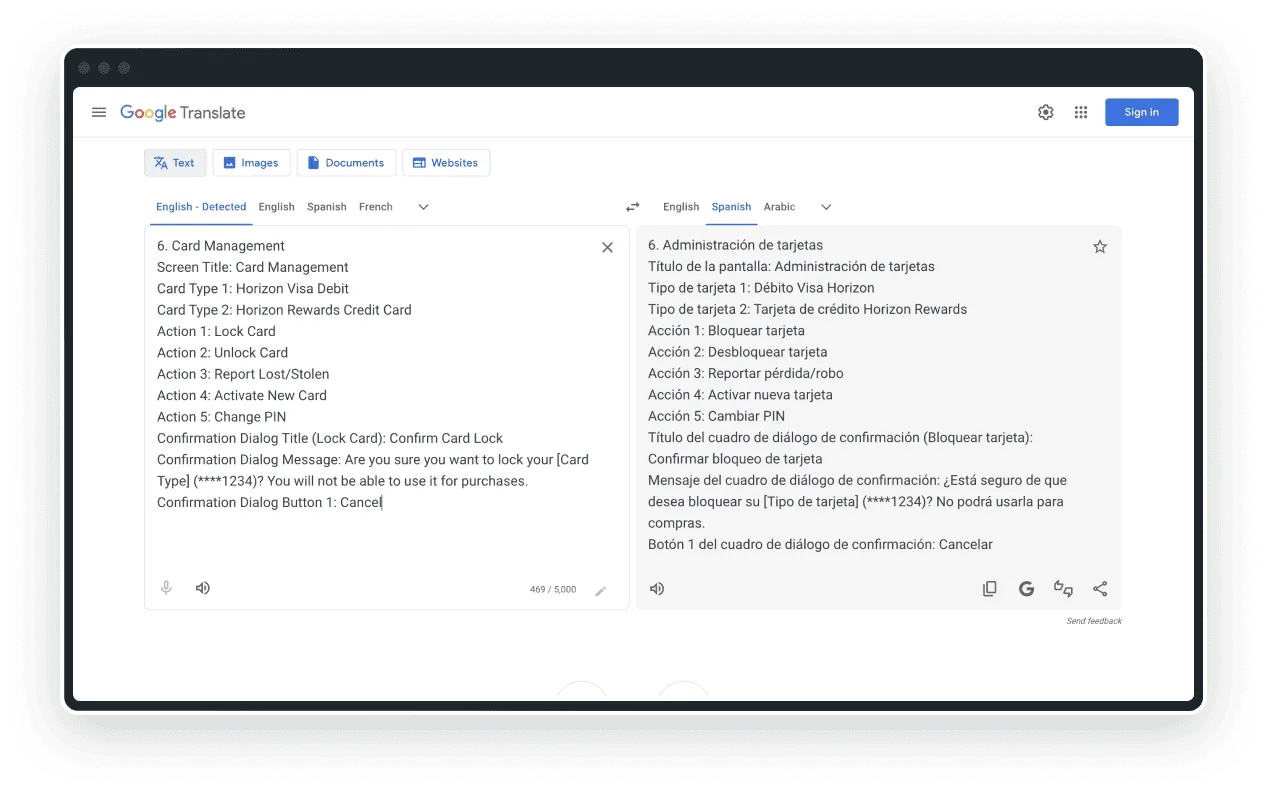
Technology and approach: GT’s framework integrates Machine Learning (ML), Natural Language Processing (NLP), and Neural Machine Translation (NMT). Post-2016, GT shifted from word-for-word translation to a more sophisticated neural method that evaluates entire sentences, reportedly reducing errors by 55-85% across major language pairs. Alongside classic NMT, Cloud Translation now offers two generative options: a Translation LLM and Adaptive Translation, which adjusts output to sample data you supply.
Accuracy and quality: Google Translate delivers accurate translations for factual content and frequently used, linguistically similar language pairs (e.g., English-Spanish), often achieving 90% accuracy.
While effective, it exhibits limitations in capturing subtle nuances, achieving natural fluency, or handling complex content in low-resource languages or specialized domains, often resulting in more literal translations.
Language support: 249 languages in Google Translate overall – the broadest coverage of any engine in this comparison. Note that the Cloud Translation API’s NMT model lists a smaller set, around 194, so check the official language support page for the pairs you actually need.
Customization and integration capabilities: The Cloud Translation API provides customization options, including creating custom models for long-form content. It preserves HTML markup during translation and offers transliteration functionality for specific languages.
Pricing models and tiers: Google prices Cloud Translation by model. Standard NMT is free for the first 500,000 characters per month, then $20 per million characters up to 1 billion; document translation is $0.08 per page. Custom models share the same free allowance but cost $80 per million characters after that ($0.25 per page for documents). The generative options are priced on input and output separately: Translation LLM at $10 per million characters each way, and Adaptive Translation at $25 per million each way. Google also sells Translation Hub, a separate enterprise document platform, at $0.15 per page per target language (Basic) or $0.50 (Advanced).
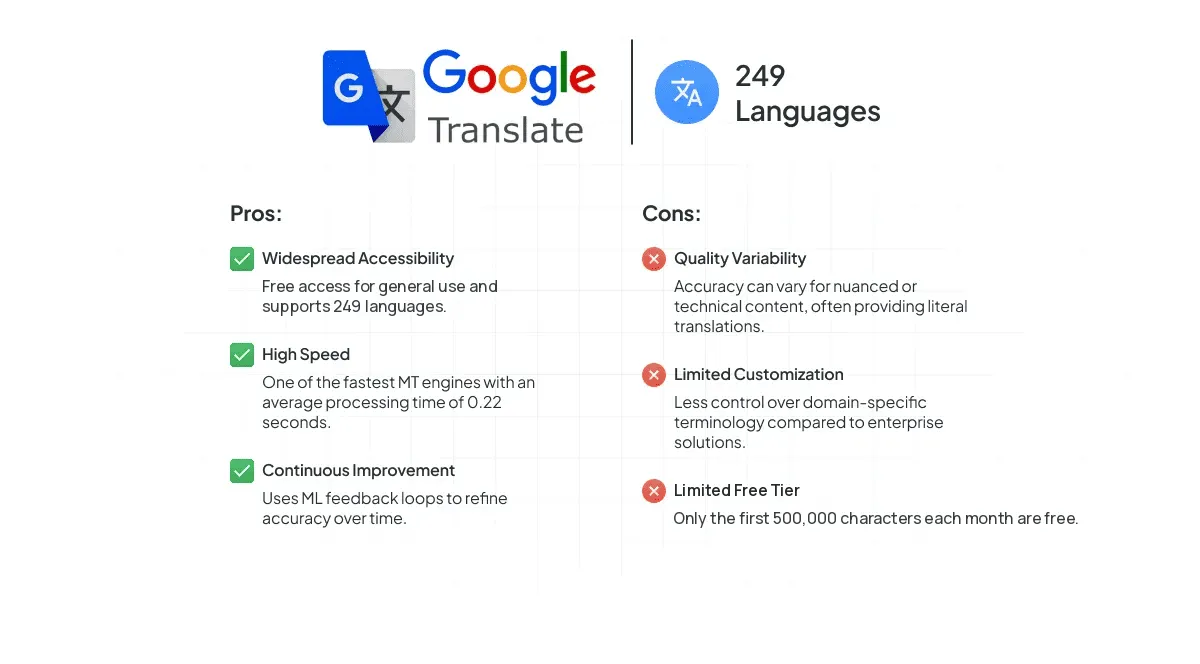
Best for: General text translation, quick understanding of foreign content, web localization, and initial drafts where broad language support is prioritized over subtle nuances. Note that Google’s custom models are the most expensive in this comparison, so “cheapest option” only holds at the standard NMT tier.
3. Microsoft Translator
Microsoft Translator uses advanced Neural Machine Translation to provide text translations, with a newer option to translate via large language models for cases that call for more nuance. It’s especially strong for enterprise, offering features to customize translations for specific industries.
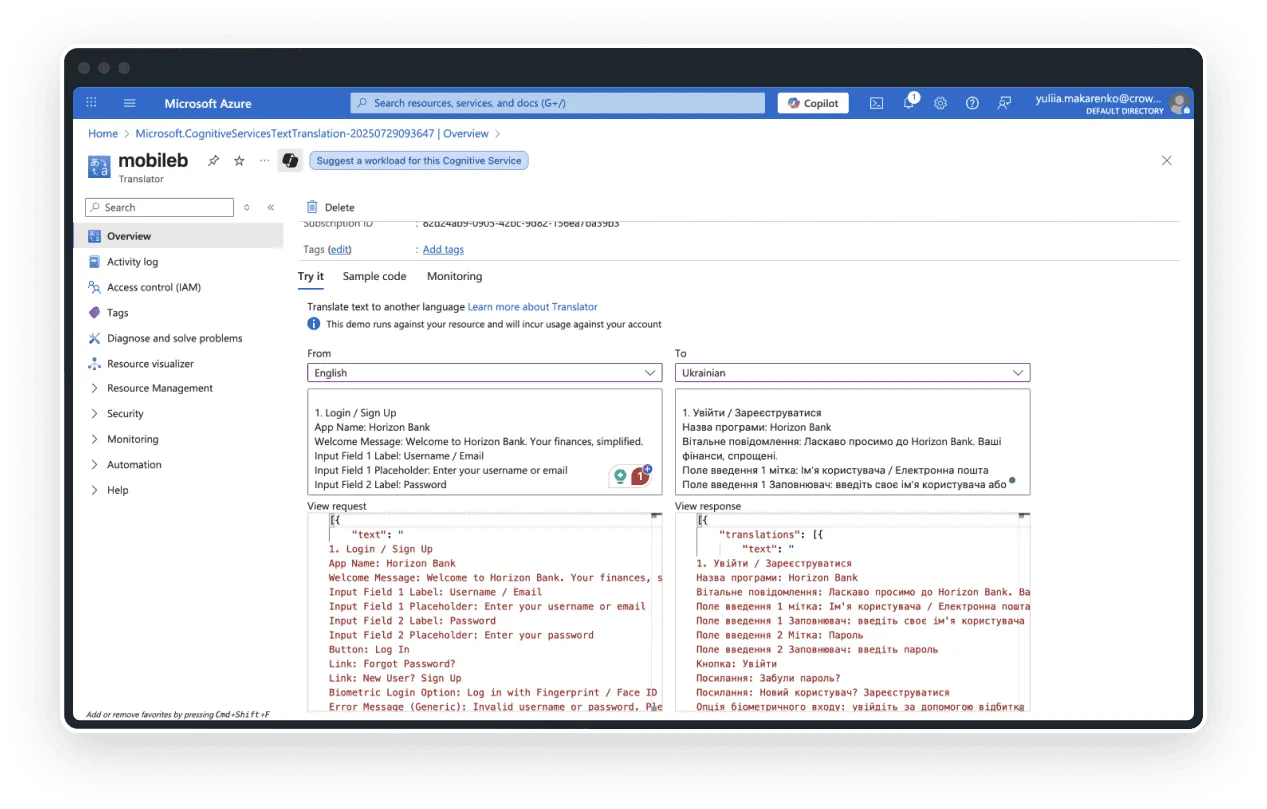
Underlying technology and approach: In June 2026, Microsoft shipped a unified Text Translation API (version 2026-06-06, GA) that lets you choose the translation model per request – classic Azure-MT (NMT), GPT-4o, or GPT-4o mini – through a single endpoint, instead of stitching together separate services. It also introduced Adaptive Custom Translation, which fine-tunes output using few-shot learning instead of requiring a fully trained custom model.
Within Microsoft’s Azure catalog the service is listed as Azure AI Translator, but Microsoft still markets it as Microsoft Translator, and that is the name you will see when configuring the engine in Crowdin.
Translation accuracy and quality: While generally effective for understanding different languages, user reviews suggest that translations may not always be perfectly accurate, indicating a need for post-editing for critical content.
Language support: 135 languages for text translation – Microsoft’s own broader marketing rounds this down to “100+ languages.”
Customization and integration capabilities: A key feature is Custom Translator, which allows users to create neural translation systems tailored to their specific industry terminology by uploading previously translated documents. Training a custom model costs $10 per million source-plus-target characters of training data, capped at $300 per training run; hosting the trained model then costs $10 per month per region, and using it costs $40 per million characters – notably more than the standard NMT rate. The newer Adaptive Custom Translation offers a lighter-weight alternative for teams that don’t want to train a full custom model. Document Translation also now supports translating text embedded in image files (JPEG, PNG, BMP, WEBP), priced separately at $8 per 1,000 images; standard document translation runs $15 per million characters.
Pricing models and tiers: Microsoft Translator offers a free tier for up to 2 million characters per month (standard translation and custom-model training combined). Standard NMT text translation on the pay-as-you-go tier starts at $10 per million characters – the lowest entry rate in this comparison – and varies by the model selected. High-volume customers can access discounted Commitment Tiers, starting around $5.50 per million characters at the multi-billion-character level.
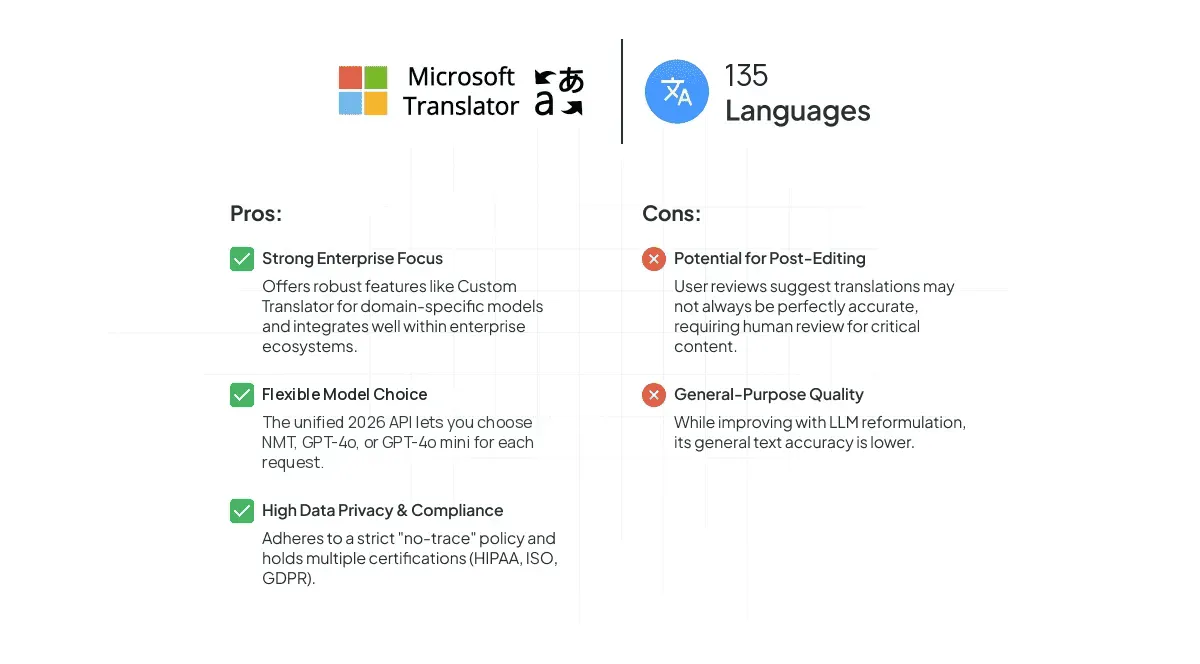
Best for: Enterprises requiring robust, secure translation solutions with strong customization needs for industry-specific terminology – and teams that want to switch between classic NMT and more nuanced GPT-4o output within one API rather than managing separate vendors.
4. Amazon Translate
Amazon Translate is a neural machine translation service from AWS designed for fast, high-quality, affordable, and customizable language translation. It excels at translating large volumes of text, localizing websites and applications for international users, and facilitating cross-lingual communication. It can deliver more than 50,000 words per 1 hour.
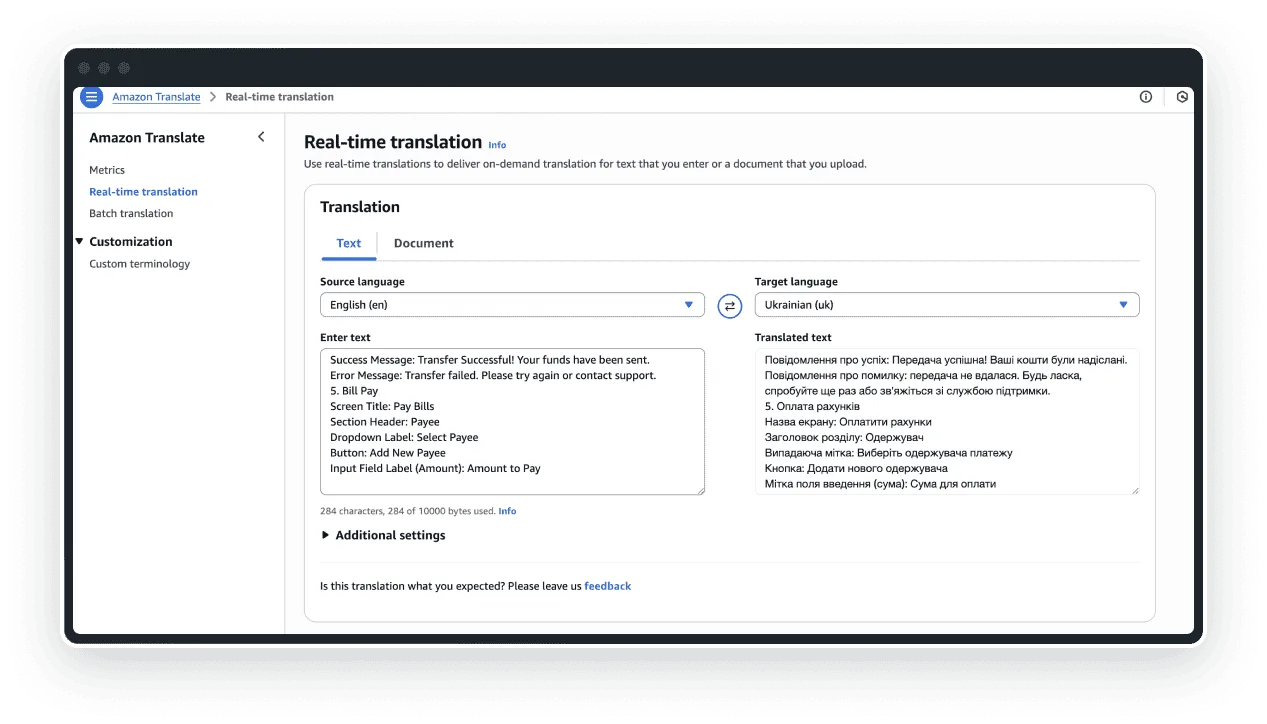
Technology and approach: Amazon Translate utilizes Neural Machine Translation with deep learning models. It analyzes the complete context of a phrase for more accurate output. Amazon Translate supports both real-time and batch translation capabilities and continuously improves with new and expanded datasets.
Accuracy and quality: Amazon Translate delivers smooth and reliable translations, scoring well in readability and clarity, though nuanced or creative texts may require minor refinements. User experiences indicate occasional ungrammatical sentences or struggles with idioms and complex language.
Language support: 75 languages.
Customization and integration capabilities: It provides formality control for six target languages. Custom terminology ensures consistency for brand names and unique phrases. The Active Custom Translation feature adapts translations to specific industries without requiring custom model training. It supports various document formats and integrates with other AWS services via its API.
Pricing models and tiers: Standard Text Translation and Batch Document Translation are both $15.00 per million characters, with a free tier of 2 million characters per month for the first 12 months. Real-Time Document Translation is $15/M for text and HTML, but $30/M for DOCX files. Active Custom Translation costs $60/M characters, with its own free tier of 500,000 characters per month for the first 2 months. Amazon Translate also includes 200 GB of free parallel data storage, billed at $0.023 per GB per month beyond that.
Data privacy and security: Amazon Translate may store and use text inputs solely to provide and maintain the service and to improve its quality and other Amazon AI technologies. This means the content is utilized for the continuous improvement of the customer experience, including the development and training of related technologies. Users should be aware that their data may contribute to the general improvement of the service.
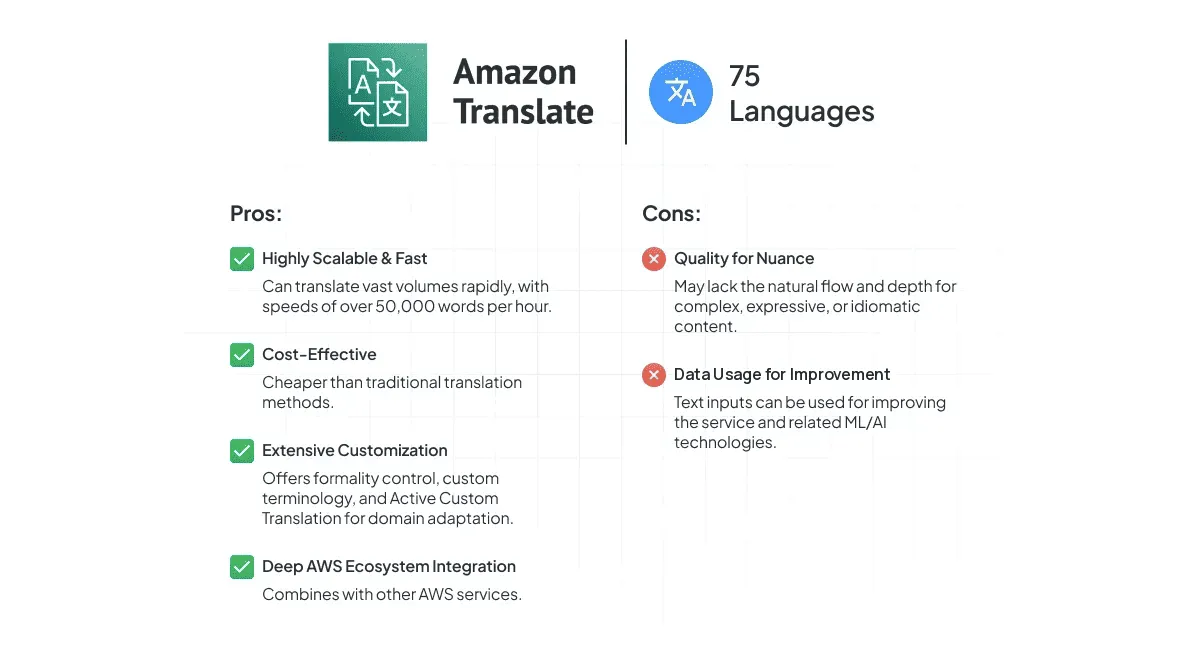
Best for: Businesses heavily invested in the AWS ecosystem, requiring scalable solutions for high-volume text translation and website or application localization – and teams that need document translation to preserve DOCX formatting specifically, since that carries a premium over plain text and HTML.
5. Lara
Lara is Translated’s next-generation AI translation platform. It replaces ModernMT in this list: ModernMT is being retired on December 31, 2026, with Lara taking over as the adaptive, human-in-control successor built by the same team.
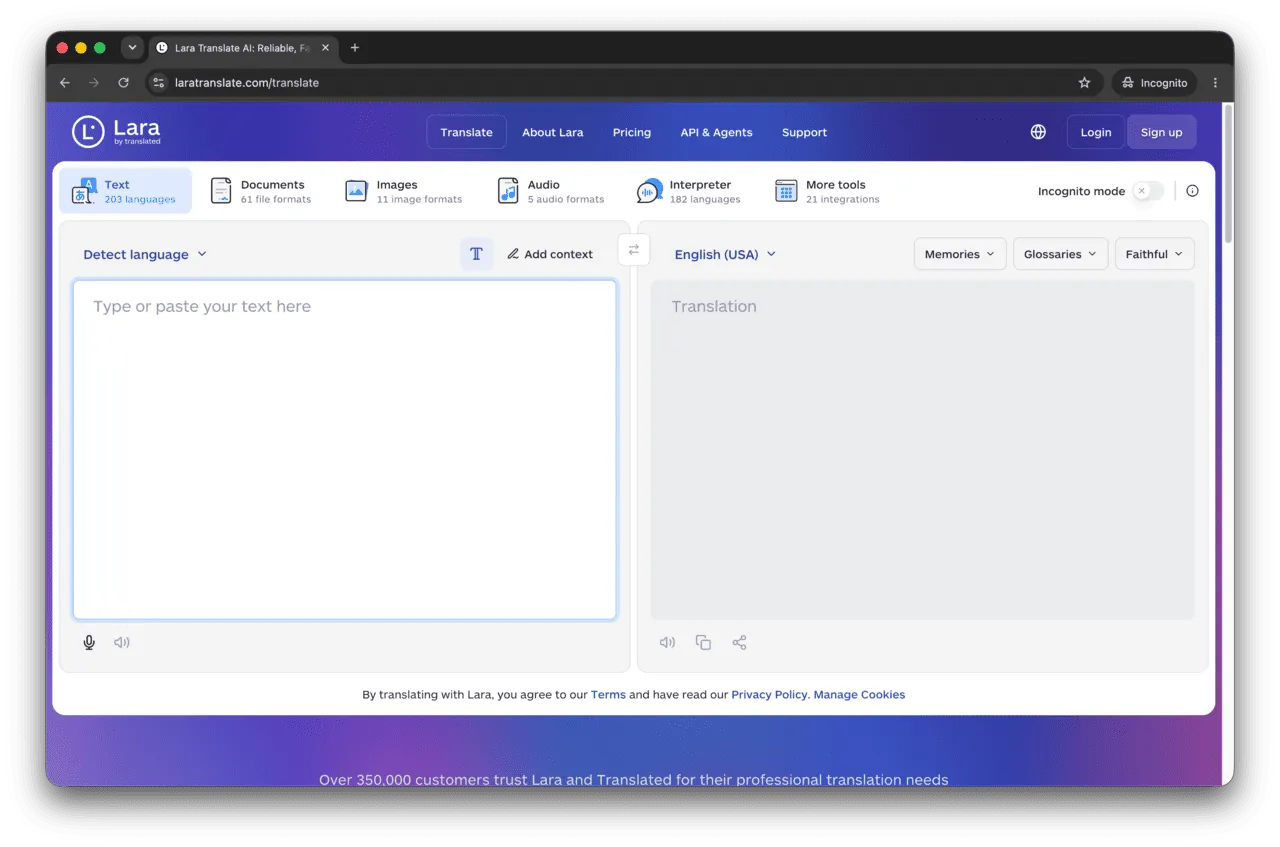
Technology and approach: Lara runs on Translation Language Models (T-LMs) – models trained specifically on billions of professionally translated segments rather than general web text – aiming to capture domain terminology and cultural nuance that general-purpose LLMs can miss. It keeps ModernMT’s adaptive, human-in-control heritage: translation memories and glossaries continue to shape output in real time, and the system can ask for clarification on ambiguous source text instead of guessing.
Accuracy and quality: Translated positions Lara as professional-grade output aimed at matching the quality of top human translators in the most widely used language pairs. As with any vendor-stated benchmark, it’s worth validating against your own content before switching engines wholesale.
Language support: 203 languages for text translation, plus 182 languages for real-time interpreting, 61 file formats for document translation, and 11 image formats – spanning major world languages and many regional or script variants.
Customization and integration capabilities: Lara supports translation memories, glossaries, context management (sending non-translatable background text alongside a string), and custom instructions for tone, formality, and terminology in natural language. It offers multiple translation styles (faithful, fluid, creative) and integrates via API, an MCP server, and connectors – including a native Crowdin Store listing.
Document translation: Supported across 61 file formats, with layout preservation; translated PDFs can be downloaded back as either PDF or DOCX.
Pricing models and tiers: Lara prices around a monthly character pool for the app, with API usage billed separately. On annual billing: Free is $0 per month for 60,000 characters, plus a free API allowance of 10,000 characters per month; Pro is $9.99 per month for 500,000 characters (extra usage $0.30 per 10,000 characters); Team is $29.99 per month for a 1.5M shared character pool with unlimited users (extra usage $0.25 per 10,000 characters). CAT tool and API usage costs $24.99 per million characters on Pro and $19.99 per million on Team. Enterprise pricing and quota are custom.
Data privacy and security: TLS encryption in transit, an Incognito mode that deletes text immediately after translation, and – for Enterprise customers – regional data residency options.
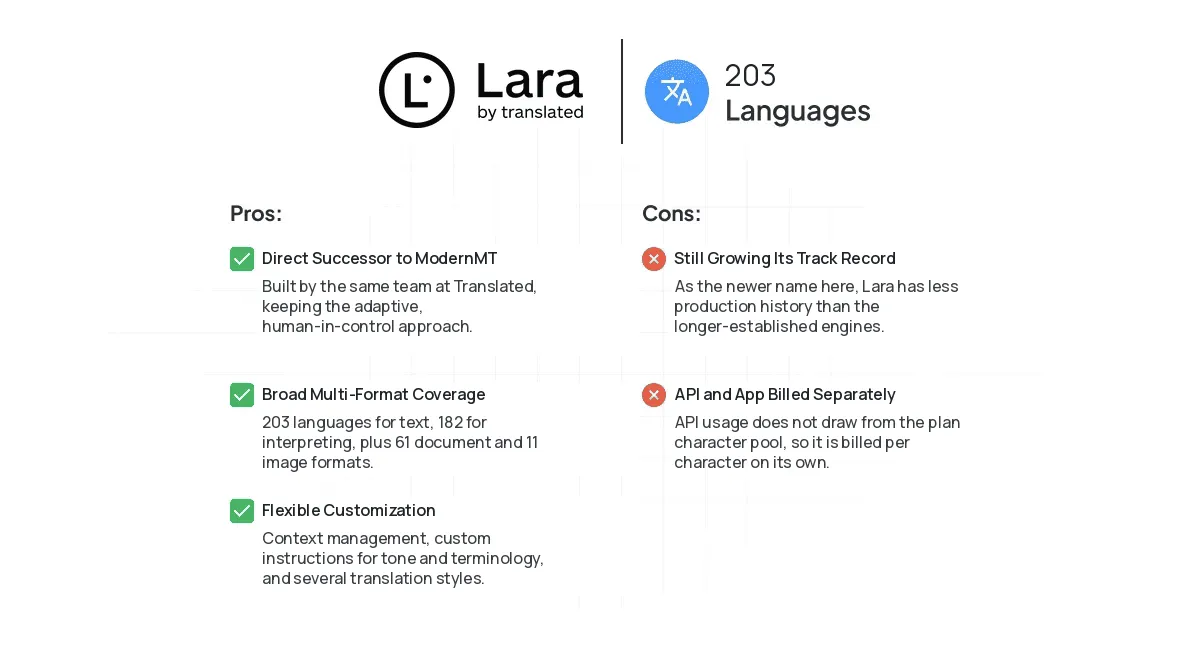
Best for: Localization teams that used ModernMT’s adaptive workflow and want continuity from the same vendor, plus anyone prioritizing broad language and script coverage alongside glossary- and memory-driven customization.
To provide a practical perspective on how these MT tools perform in real-world scenarios, we created a user experiment.
User experiment: Translating mobile banking UI with MT (2025)
To see how MT tools perform in real life, we ran an experiment. We translated 116 text strings from a banking app UI (English to Ukrainian). Important: The tools received these strings without any extra context, like “Button: Log Out” or “Current Balance Label: Current Balance”. This mimics how UI text often gets translated.
A native Ukrainian speaker, a regular banking app user, reviewed the translations string-by-string from all MT providers.
The results below are a snapshot from when we ran the test, so they cover the engines available at the time – including ModernMT, since Lara had not launched yet. Engine quality moves between releases, so treat the numbers as an illustration of how differently engines behave on context-free UI strings, not as a current ranking.
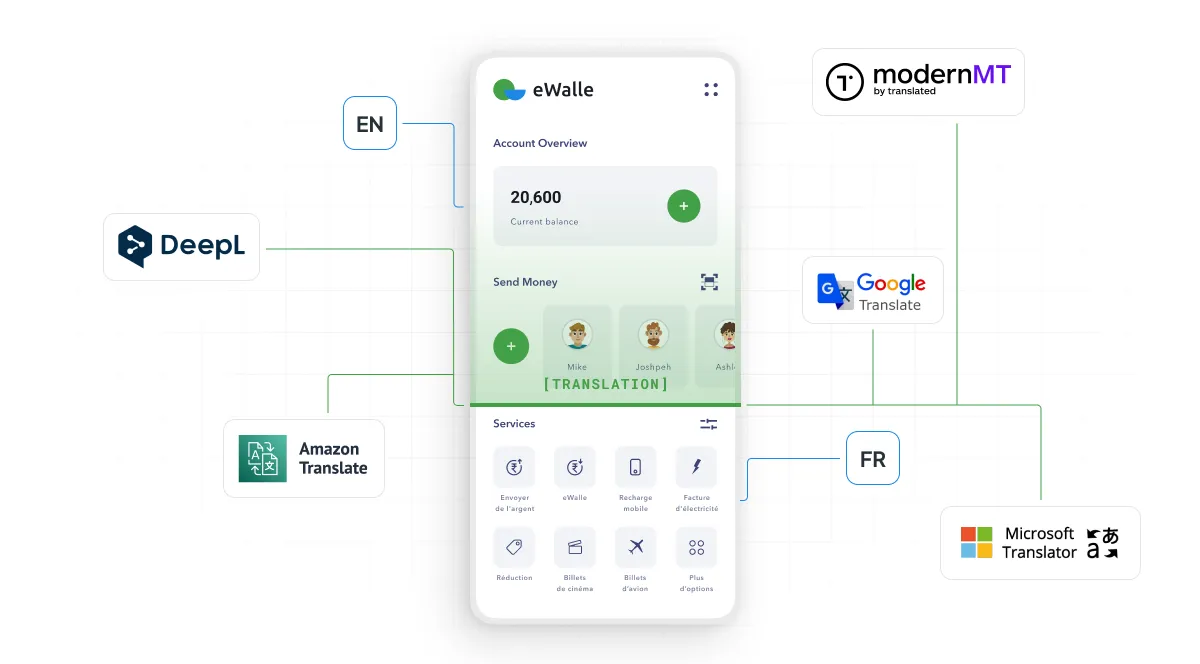
Overall, translations were good and understandable. But some had “rude mistakes”, and others just didn’t sound natural. Here are the results, from fewest to most mistakes:
| MT tool | Number of mistakes (out of 116 strings) | Percentage of mistakes |
|---|---|---|
| Google Translate | 7 | ~6.03% |
| DeepL Translator | 12 | ~10.34% |
| ModernMT | 12 | ~10.34% |
| Microsoft Translator | 19 | ~16.38% |
| Amazon Translate | 21 | ~18.10% |
Key takeaways: This test shows that MT tools perform differently, especially in specific areas like banking. Translating without full context (like a button’s visual placement) likely affected results. Even with good overall comprehension, rude mistakes and unnatural phrases appeared. Without UI context, a word like “Transfer” can be easily misinterpreted.
This highlights why human review (post-editing) is still important for user-facing content like mobile apps. Precision and a natural tone are crucial for user trust.
Some organizations prefer a hybrid approach that combines machine translation speed with structured localization workflows and expert human safeguards. In such cases, partnering with language service providers like Milengo can help centralize custom-trained MT engines, automate workflows, manage terminology, and ensure full-cycle localization quality across technical, marketing, and software content.
How Ethereum.org Ensures Quality of Community Translations at Crowdin
How to choose the right MT software for your needs
Selecting the ideal machine translation software is a critical decision. With a diverse landscape of tools available, let’s take a look at the key factors:
1. Language support
Beyond simply checking if a language is supported, evaluate the depth of quality for your target languages. Do you need highly nuanced translations for major European languages, or broad coverage for a vast array of less common languages (e.g., Google Translate)? Since DeepL’s 2026 expansion, the “quality vs. coverage” trade-off is narrower than it used to be, so check your specific pairs rather than headline counts. Consider if the tool excels in your primary language pairs and if it handles regional variations or specific dialects important to your audience.
2. Cost-effectiveness and scalability
Assess the pricing model (pay-as-you-go, subscription, free tiers) against your projected translation volumes. Compare the tier you will actually use: entry rates range from $10 to $27.50 per million characters, but custom and adaptive models run several times higher across every provider. Ensure the pricing scales efficiently with your growth, avoiding unexpected costs as your needs expand.
3. Customization and adaptability
Does your industry have specific terminology, brand voice, or stylistic preferences? Look for software that allows for customization through glossaries, translation memories, and custom model training (e.g., Microsoft Custom Translator, Lara’s adaptive memories). The ability to adapt the MT engine to your unique content ensures higher quality and reduces post-editing effort.
4. Integration capability
A standalone MT tool provides limited value. The best solutions integrate seamlessly with your existing translation management system (TMS), like Crowdin. Smooth integration minimizes manual tasks, automates workflows, ensures data consistency, and allows for centralized control over your entire localization pipeline. Consider if the tool offers a robust API and pre-built connectors to your preferred platforms.
By carefully evaluating these factors against your specific business requirements, you can select an MT solution that not only meets your current needs but also supports your future global expansion strategies.
Ready to build a scalable, cost-effective localization workflow?
Crowdin: All machine translation software in one
For localization teams, the challenge isn’t just choosing the right machine translation software, but effectively integrating and managing multiple engines within the workflow. Crowdin is a localization platform that allows you to connect, manage, and leverage various MT engines – including all the ones we’ve discussed – from a single interface.
Crowdin combines powerful features in a single, user-friendly interface, that allows you to build a complete AI localization workflow. Rather than committing to one engine for everything, you can combine them: MT auto-translation and AI auto-translation are separate steps in a Crowdin workflow, so a single project can send UI strings through a machine translation engine, route marketing copy to an LLM with your own context and instructions, check everything against translation memory first, and reserve human review for the content that needs it. You can even chain engines – if your primary MT engine doesn’t cover a language, the workflow falls back to a second one automatically. See our guide to enterprise localization workflows for how these steps fit together.
AI also runs alongside this in AI Pre-translation, the AI Pipeline app for multi-step LLM workflows, and Crowdin Copilot, an assistant embedded in the platform that answers questions about your projects and takes action with your confirmation.
With over 700 integrations, the platform connects with your existing tools to automate content synchronization and delivery. Its highly customizable workflows allow you to define and manage every step of the translation process, from source text review to QA checks.
To further improve accuracy, Crowdin provides all kinds of context – including screenshots, in-context previews, style guides, and glossary terms – giving translators the information they need to deliver accurate translations.
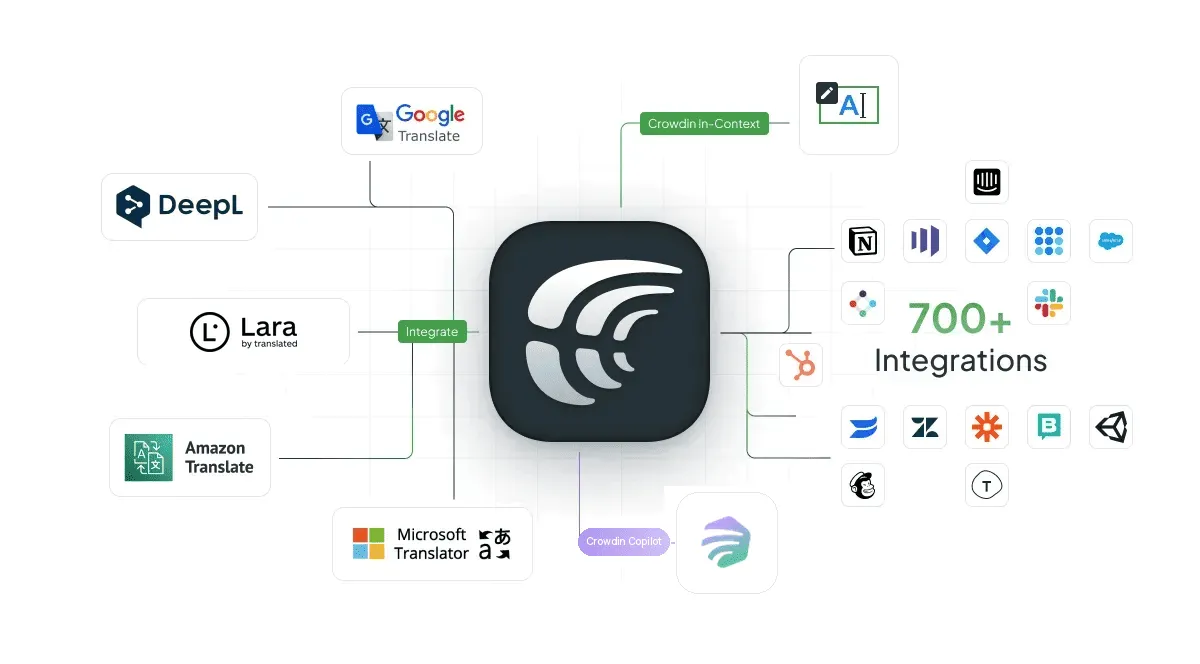
With Crowdin, you can:
- Centralize MT management: Easily connect and configure multiple MT engines, eliminating the need to juggle different accounts and platforms.
- Optimize quality and cost: Test and compare the performance of various MT engines for different content types and language pairs to ensure optimal quality at the best possible cost.
- Ensure consistency: Apply glossaries, translation memories, and style guides across all MT outputs, maintaining brand voice and terminology consistency.
- Security and control: Provide your own API keys for various AI translation engines, giving you direct control over usage, costs, and the handling of your data through your own established agreements with those providers.
- Gain insights: Monitor MT usage and performance to make data-driven decisions about your translation strategy.
By bringing all your machine translation capabilities under one roof, Crowdin empowers localization teams to accelerate time-to-market, reduce overall translation costs, and maintain high quality across all multilingual content.
Tired of juggling multiple MT providers?
FAQ
Which machine translation engine supports the most languages?
Google Translate, with 249 languages. Lara follows with 203 for text translation, Microsoft Translator covers 135, DeepL 106 target languages, and Amazon Translate 75. Coverage alone is not a quality signal, though: engines vary widely in how well they handle low-resource languages, so check your specific pairs. For the underlying technology and how MT works, see our machine translation guide.
Is DeepL really better than Google Translate?
“Better” depends on your goal. DeepL generally offers higher quality and nuance, especially for European languages, often reducing post-editing. Google Translate excels in breadth of language coverage (249 languages). DeepL closed much of the coverage gap in 2026, expanding to 101 source and 106 target languages, so the choice now rests more on quality and pricing than on language count.
What replaces ModernMT?
Lara, built by the same company (Translated). ModernMT is being sunsetted on December 31, 2026, and Lara is its successor, keeping the adaptive, human-in-control approach while expanding to 203 languages and 61 file formats. Both are available in the Crowdin Store, so teams can switch engines without changing their workflow.
Which machine translation engine is cheapest?
On headline rates, Microsoft Translator is the cheapest at $10 per million characters for standard NMT, followed by Amazon Translate at $15 and Google Translate at $20. Custom or adaptive models cost considerably more across all providers – Google’s custom models run $80 per million characters, Amazon’s Active Custom Translation $60, and Microsoft’s custom models $40 – so compare the tier you will actually use rather than the entry price.
Can I use more than one MT engine at the same time?
Yes. In a translation management system like Crowdin you can connect several engines to one account and assign different engines to different languages or content types – for example, DeepL for European languages and Google Translate for the long tail. You supply your own API keys, so usage is billed by each provider directly and you keep control over costs and data handling.
What machine translation providers does Crowdin support?
Crowdin supports a wide range of machine translation providers, including DeepL Translator, Google Translate, Amazon Translate, Crowdin MT, Google AutoML Translation, Intento MT Hub, Microsoft Translator, Lara, Adaptive ModernMT, Globalese, Custom MT Engines, XL8, Cloudflare Workers AI, Fireworks AI, Together AI, Systran, Microsoft Custom Translator, Tencent Machine Translation (TMT), KantanMT, ModernMT, IBM Watson Language Translator, Bohemicus, Azure Transliterate, Braille Translator, FunTranslations, TAUS QE and APE, and MTrans.
Moreover, Crowdin also allows you to integrate your own custom machine translation engine.
Is there anything better than DeepL?
While DeepL leads in general translation quality and nuance, other tools might be “better” for specific needs. Google Translate (249 languages) and Lara (203 languages) offer wider language coverage. Microsoft Translator lets you choose between NMT and GPT-4o models per request. Amazon Translate is highly scalable for AWS users.

Yuliia Makarenko
Yuliia Makarenko is a marketing specialist with over a decade of experience, and she’s all about creating content that readers will love. She’s a pro at using her skills in SEO, research, and data analysis to write useful content. When she’s not diving into content creation, you can find her reading a good thriller, practicing some yoga, or simply enjoying playtime with her little one.